Readr
A focused reading queue that turns saving into a small, deliberate desk for the things worth your attention.
Intro
Readr is a focused queue for the things you want to read, watch, or return to. It gives captured items a small active desk, a waiting inbox, and a quiet library for what you finish.
Most read-later tools make saving feel like progress. A link disappears into a growing list, and the list becomes another thing to manage. Readr treats capture as a commitment to future attention instead.
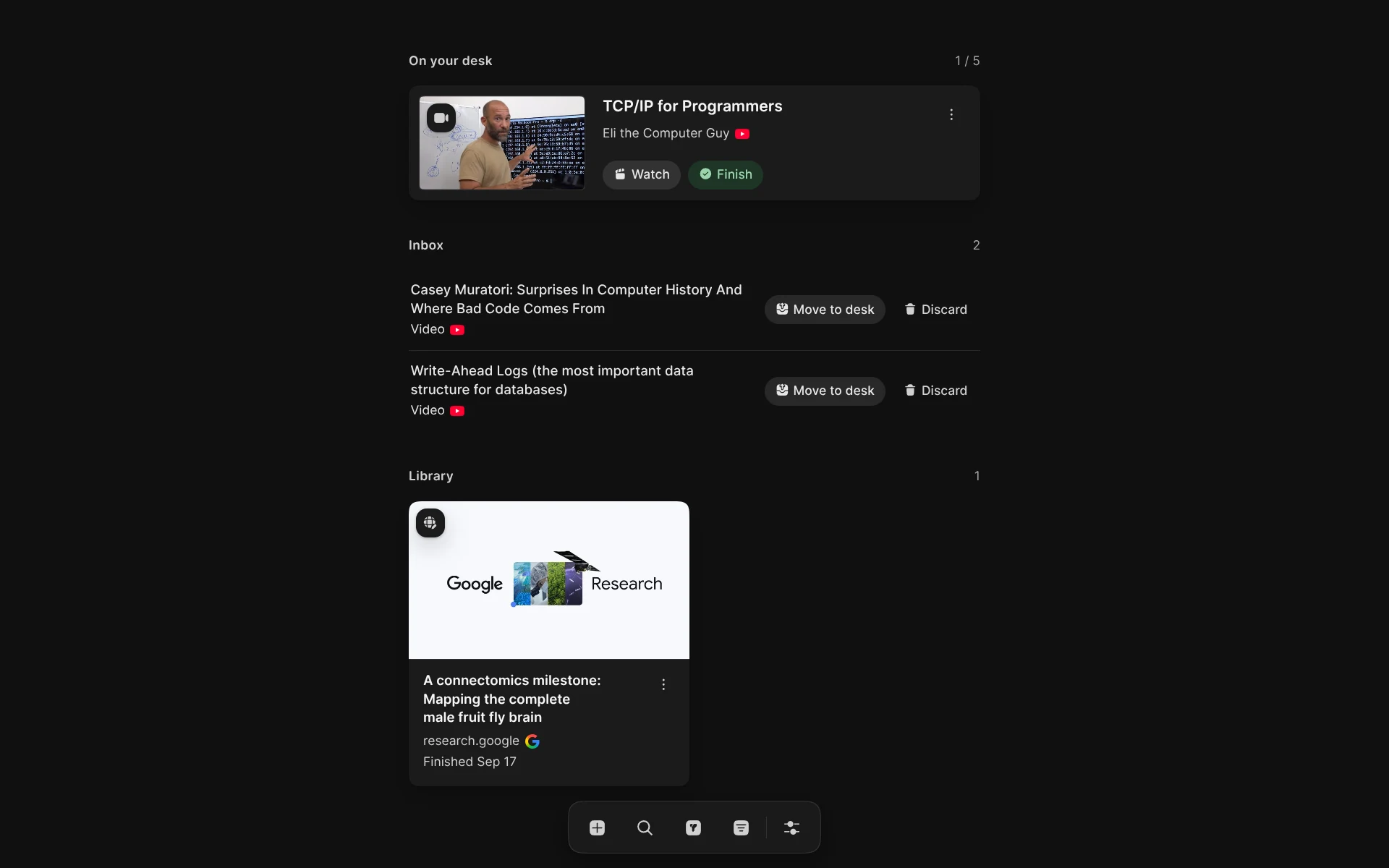
The product is built around one simple constraint: the desk holds five items. You can save more to the inbox, but only five can ask for your attention now.
My role
I defined the product model, designed the interface, and built Readr from the ground up. I worked across capture, the desk and library lifecycle, article and video readers, the browser extension, and the supporting account and data systems.
The app uses React, TypeScript, and Vite on the frontend, with Hono, Cloudflare Workers, and D1 behind it. I also handled extraction, transcript synchronisation, local preferences, accessibility, testing, and deployment.
Solution
Readr keeps the whole lifecycle on one screen. The Desk holds up to five active items, the Inbox holds captures that have not been chosen yet, and the Library keeps a quiet record of what you have finished.
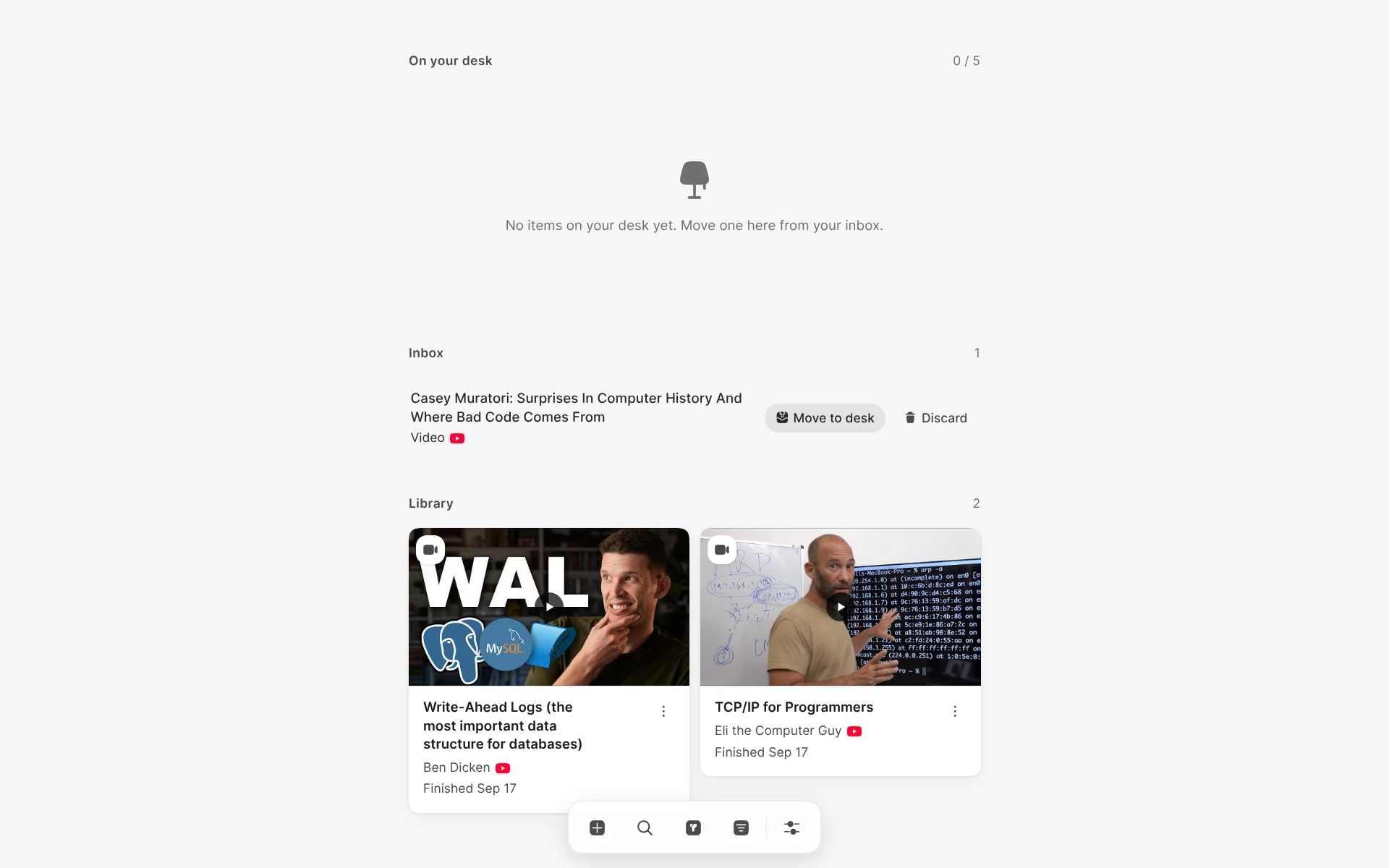
Capture and deciding are separate actions. You can paste a URL, add an item manually, or save the current browser tab with the extension. Readr saves the item to the Inbox first, then enriches its metadata in the background so a slow source does not interrupt capture.
The Desk is deliberately hard to fill. When it is full, choosing another item asks you to replace one of the existing items. The displaced item is discarded rather than returned to the Inbox, keeping the desk a real limit instead of another queue.
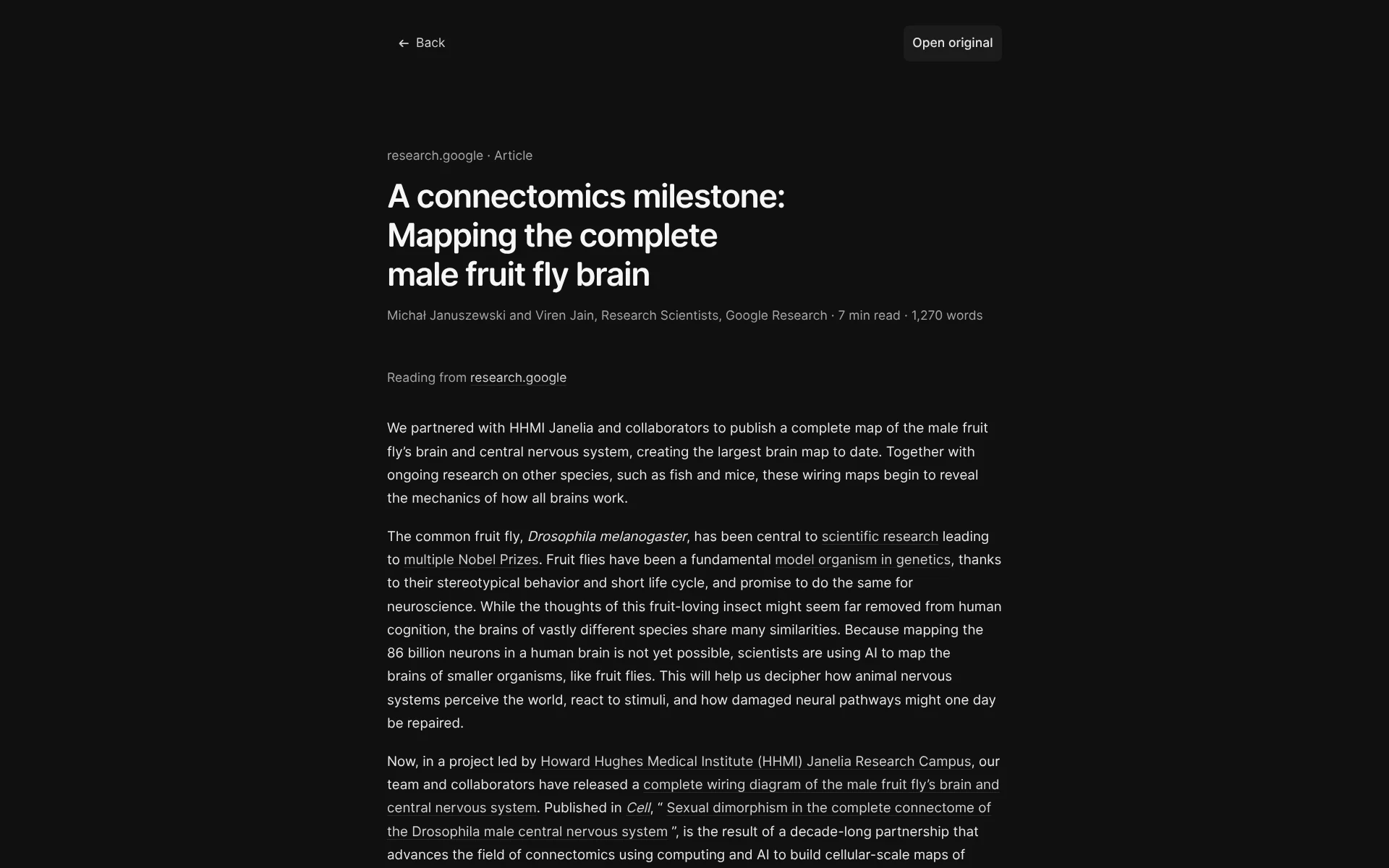
Articles and papers open inside Readr instead of sending you to another tab. The app extracts the title, author, source, and content, sanitises the result, and presents it with typography doing most of the interface work. When extraction is not available, the original link remains one step away.
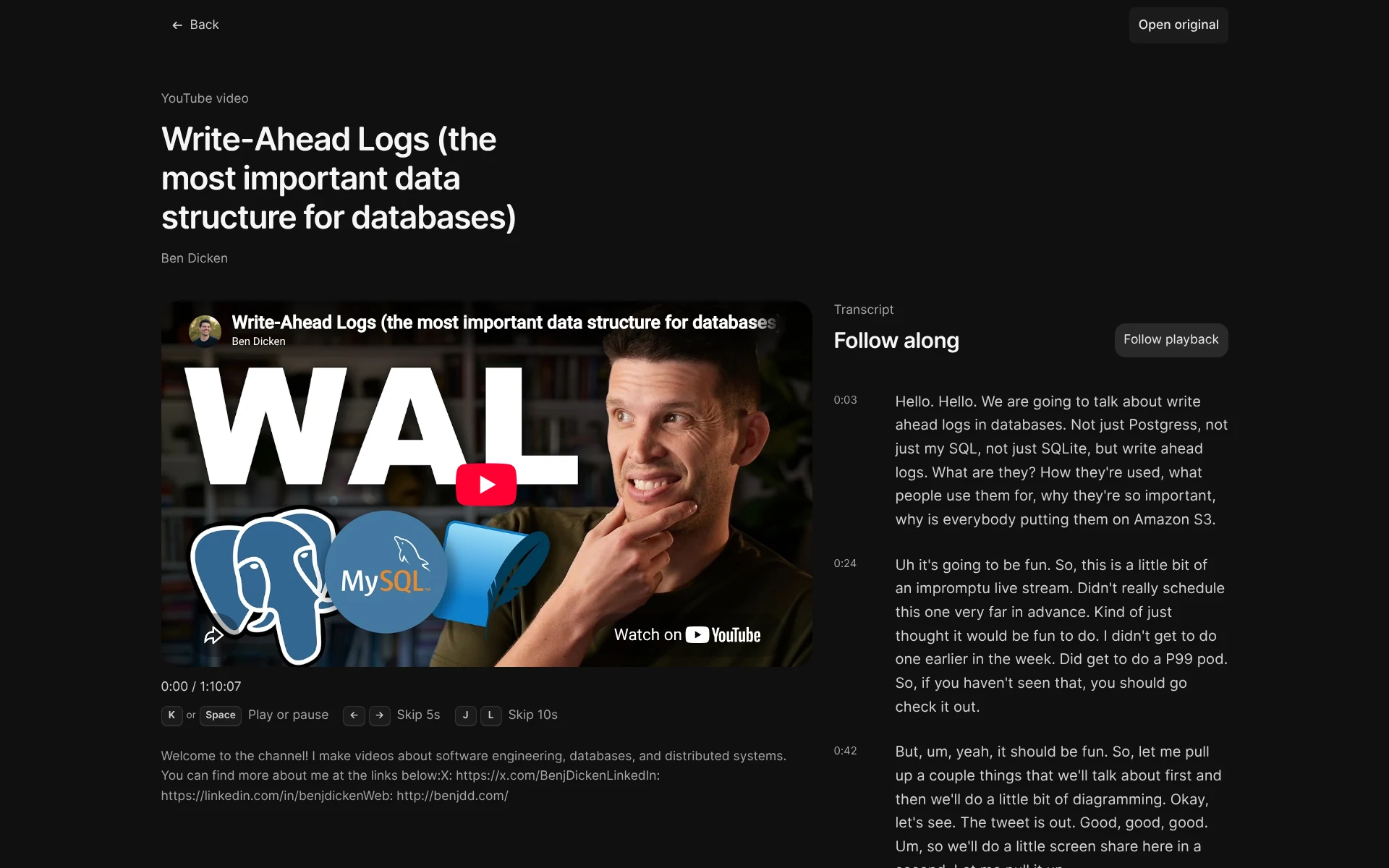
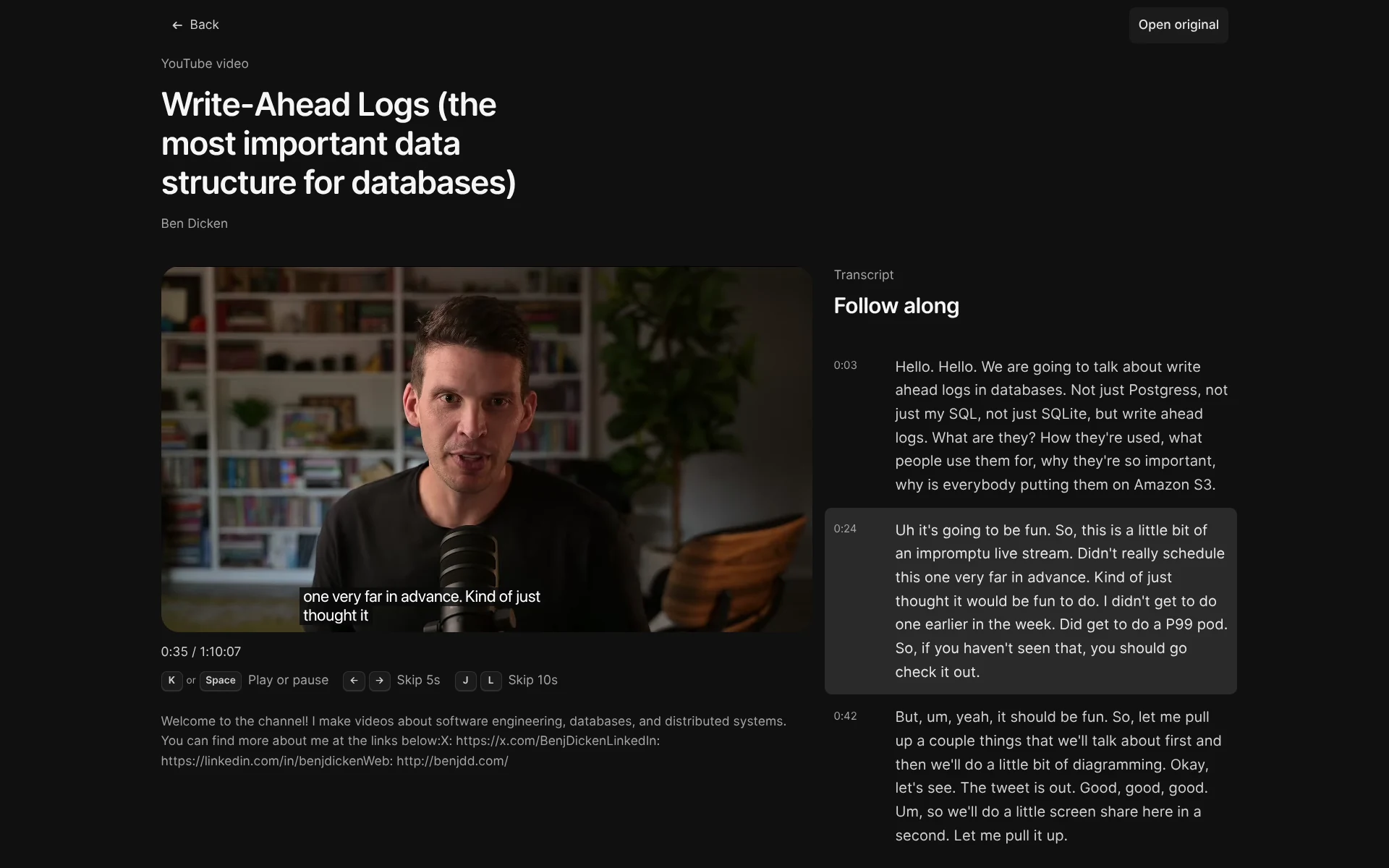
YouTube uses a separate reader because watching and reading need different controls. The player sits beside a timestamped transcript, with keyboard shortcuts, chapter support, follow playback, and saved progress when captions are available.
Process
I started with the failure mode of read-later tools: saving is easy, but deciding what deserves attention is not. The product needed to make the decision visible without turning capture into a form or an organisational project.
The five-item desk became the clearest rule. A fixed capacity removes a category of settings and gives every action weight. The Inbox can hold intentions, but the Desk represents the small amount of attention available now.
I kept capture, metadata, and reading separate. The server persists the URL before contacting the source, background jobs enrich title and visual metadata, and the readers request only the content they need. Article extraction and YouTube transcript acquisition can fail independently without losing the captured item.
The product is account-backed, so items follow you across devices while theme and sound preferences stay local. The browser extension uses the same capture path as the app and has no popup: one click saves the current page, with YouTube transcript enrichment handled as a best-effort follow-up.
Lessons
A limit can make a product feel more useful. The five-item Desk does not try to manage every possible intention; it makes choosing a few items easier to understand and harder to postpone.
Capture and decision need different tempos. Saving should be immediate, while enrichment and organisation can happen afterwards. Separating those paths lets Readr stay fast without pretending that every source is equally reliable.
Different media need different readers. An article benefits from measure and hierarchy; a video benefits from a player, timestamps, and a transcript that follows along. Treating both as generic links would make each experience worse.
The Library also taught me what not to build. It answers one question—what have I finished?—without adding collections, ratings, streaks, or statistics that would turn a quiet record into another system to maintain.